
Keep D.C. Classrooms Connected with Instant Wireless Presentation
Wireless Presentation Tools for D.C. Classrooms
In the heart of the nation’s capital, where education intersects with innovation, D.C. classrooms need technology that’s fast, flexible, and dependable. From public charter schools in Shaw to STEM programs in Northeast, Washington, D.C. educators face tight schedules, device diversity, and the pressure to keep instruction flowing without delay.
That’s why D.C. teachers turn to ScreenBeam’s wireless presentation tools—technology designed to eliminate delays and adapt to any classroom environment, without apps, cables, or learning curves.
With ScreenBeam, presenters walk in, tap to connect, and start sharing—whether they’re using a Chromebook, iPad, or laptop. Built-in support for AirPlay, Miracast, and Cast means any device works instantly
Here’s why ScreenBeam’s wireless presentation tools work so well for D.C. classrooms:
- No Apps or Dongles: Teachers present using built-in tools—no need to install software or hunt for adapters.
- Fast Presenter Switching: Pass control between teachers or students in seconds—perfect for collaborative learning or rotating lessons.
- Full Device Compatibility: Works across platforms, including Windows, iOS, Android, and ChromeOS—ideal for BYOD policies and mixed-device classrooms.
- Reliable in Mixed Infrastructure: Whether your school is newly built or historically preserved, ScreenBeam performs consistently across all D.C. facilities.
- Central Management: IT teams can monitor, update, and support wireless presentation tools across multiple schools in the district with ease.
From Anacostia to Adams Morgan, ScreenBeam helps D.C. educators keep classes moving smoothly and students engaged—without the tech delays that derail instruction.
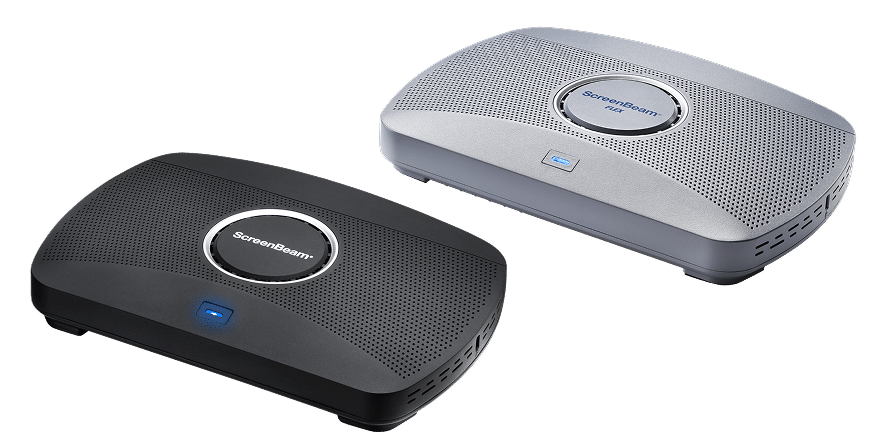



Designed for D.C.'s Pace and Purpose
Education in Washington, D.C. is about more than meeting standards—it’s about shaping future leaders. In that high-impact environment, teachers need tools that work without distraction. ScreenBeam’s wireless presentation tools empower educators to teach, share, and collaborate faster, without tech hurdles or wasted time.
From traditional classrooms to flipped learning environments, our platform helps D.C. schools maintain instructional momentum while simplifying support. Teachers walk in and present. Students participate more freely. And IT teams spend less time solving minor connection issues.
Here’s why D.C. districts trust ScreenBeam:
- Instant Start: No wait, no training—just walk in and screen share.
- Flexibility for Modern Methods: Ideal for hybrid learning, group work, and interactive instruction models.
- Infrastructure-Friendly: Works with what your school already has—no major upgrades needed.
- Equity at Scale: Gives every classroom the same capabilities, whether in Georgetown or Southeast.
Washington, D.C. classrooms are known for innovation and urgency. ScreenBeam supports both by making wireless presentation simple, inclusive, and fast.
Bring Seamless Screen Sharing to Your D.C. School
Request a trial in your own classrooms and experience the difference yourself.