


Orchestrate Lite by ScreenBeam
Orchestrate Lite by ScreenBeam is designed for educators in a 1:1 environment to moderate and wirelessly share student’s work to the classroom’s display for collaboration. It is a license-free companion software that works in conjunction with ScreenBeam 1000EDU Gen 2 receiver.
Product Highlights
- Control and Moderate Student Access: Teachers can easily manage which students can present to the classroom display.
- Preview Student Screens: Before displaying, teachers can preview student screens to ensure appropriate content.
- End Student Screen Share Sessions: Teachers have the ability to end student screen sharing sessions at any time, maintaining control over the classroom environment.
Orchestrate Lite by ScreenBeam
Orchestrate Lite is designed to be intuitive and easy to use, requiring minimal training for teachers.
It supports multiple operating systems, including Windows and Chromebooks, ensuring compatibility with various student devices. This tool is great for K-12 classrooms looking to enhance their digital learning environment by enabling controlled student access to cast their screens.
Why it’s Important
Effective classroom management is crucial for maintaining a focused and engaging learning environment. Orchestrate Lite empowers teachers with the tools to:
- Enhance Student Engagement: By moderating and controlling screen sharing, teachers can ensure that all students stay on task.
- Improve Classroom Efficiency: Quick and easy control over student presentations helps streamline classroom activities.
- Maintain Classroom Order: Teachers can prevent disruptions by previewing and ending screen shares as needed.
How it works
Orchestrate Lite integrates seamlessly with the ScreenBeam 1000 EDU Gen 2. This combination provides a robust solution for moderating student access to wireless display:
- Wireless Display: Teachers and students can share screens wirelessly, making it easy for students to connect and share when the teacher allows.
- Moderation Tools: Teachers can preview a student screen in real-time, ensuring that content is appropriate before sharing it with the class.
- Control Features: Teachers can end student screen sharing sessions at any time, maintaining control over the classroom display.
General requirements for Orchestrate Lite
- ScreenBeam 1000EDU Gen 2 receiver
- ScreenBeam CMS Enterprise
- Orchestrate browser extension (Edge / Chrome)
- Orchestrate Chrome app (for ChromeOS)
- Orchestrate Windows Assistant (for Windows)
System Requirements
- Windows 11/10 Pro/Edu/Ent (64-bit) or ChromeOS 81.0 (or later)
- Processor
- Teacher: 10th Gen Intel Core i5 or AMD equivalent (or better)
- Student: 10th Gen Intel Core i3 or AMD equivalent (or better)
- 8GB Memory (or more)
- 64GB available Hard Disk Space (or more)
- Wi-Fi: Intel Dual-band 802.11AC 82xx or AX-series (or equivalent)
Required Network Ports
Windows require TCP port 49542
| Document Name | Download |
|---|---|
| Starting Guide v3.4 | Download |
| Deployment Guide v3.3 | Download |
| User Manual v3.0 | Download |
Please read the Starting Guide first.
Current Release
Version: 3.4.0
- Extension: 3.4.0
- Extension installation URL: https://cdn.screenbeam.com/assets/orchestrate/manifestv3/upgrade_ext_v3.4.0.xml
- Download Orchestrate Windows Assistant App
- SB1000EDU/G2 Receiver Firmware: 11.x.19.0
Important Note
- If upgrading from 3.2.0 then completely uninstall the software before updating.
- This release has been upgraded to use Google Manifest v3 APIs.
- Google Chrome v139 will be released on Aug 5, 2025, and does not support Manifest v2 extensions. It is mandatory to use Orchestrate v3 if Chrome has been updated to v139 or later.
Supported Deployment Configurations
- Teacher/Student: Windows AD/AAD/Gsuite, Chrome Browser
- Teacher/Student: Windows AD/AAD, Edge Browser
- Teacher: Windows Gsuite, Chrome Browser + Student: Windows/ChromeOS
New Features and Enhancements
- Web Filtering – Teachers can limit websites that students access during an Orchestrate class by creating and enacting filters.
- Improved extension installation time for deployment through Microsoft Intune
- Enhanced reconnection mechanism to the Orchestrate class when there is a network disruption
Bug Fixes
- Teacher UI may show a blank screen after recovering from network loss.
- Fixed issue whereclass code may not show when class restarts after the teacher’s device experiences a network disruption
- Fixed issue where the user could not close the Orchestrate Lite window
- Fixed teacher’s receiver suggesting list showing all available receivers rather than just recently connected ones
- Prevent students from being able to repeatedly rejoin the class by entering the same class code
- Fixed inconstancies with receiver search results in teacher UI
- Minor fixes to UI synchronization
Bugs and Limitations
- The student thumbnail may show an ERR_TIMEOUT error message if their screen is locked when there is no valid window un-minimized. The issue will remedy itself if the student restores any valid window.
- On a Chromebook, the audio and video can become momentarily out of sync if the video is paused while beaming
- Some buttons may be clipped off the teacher’s toolbar if they shrink the window. They can be restored by expanding the window.
- [Orchestrate Lite] Sometimes joining a class by hostname can fail
- Workaround – Join with IP address
Version 2.3.1
This version has been deprecated as the latest Chromium-based browsers require Manifest V3 (MV3) as the manifest file format for Chrome extensions. For more details on the technical aspects of MV3, please refer to Google Manifest V3 developer article.
Previous Releases
Version: 3.3.0
- Windows environment
- Refer to the Starting Guide for browser’s extension setup
- Orchestrate Windows Assistant App
- ChromeOS environment
- Refer to the Starting Guide for browser’s extension setup
Release notes
This release has been upgraded to use Google Manifest v3 APIs. Google Chrome v139 is released on Aug 5, 2025, and does not support Manifest v2 extensions. It is mandatory to use Orchestrate v3 if Chrome has been updated to v139 or later.
- Release date: 2025, Oct. 20
- Improvements and fixes
- Update to Google Manifest v3 API
- Improved extension installation time for deployment through Microsoft Intune
- Fixed issue where users may not reconnect to a class after unexpectedly disconnecting
- Added Japanese localization
Version 2.3.1
This version has been deprecated as the latest Chromium-based browsers require Manifest V3 (MV3) as the manifest file format for Chrome extensions. For more details on the technical aspects of MV3, please refer to Google Manifest V3 developer article.
Request A Trial
Experience a world where technology fades into the background and meaningful, interactive experiences take center stage.
ScreenBeam needs the contact information you provide to us to contact you about our products and services. You may unsubscribe from these communications at any time. For information on how to unsubscribe, as well as our privacy practices and commitment to protecting your privacy, please review our Privacy Policy.
Schedule A Demo
Experience a world where technology fades into the background and meaningful, interactive experiences take center stage.
ScreenBeam needs the contact information you provide to us to contact you about our products and services. You may unsubscribe from these communications at any time. For information on how to unsubscribe, as well as our privacy practices and commitment to protecting your privacy, please review our Privacy Policy.
Compatible Hardware
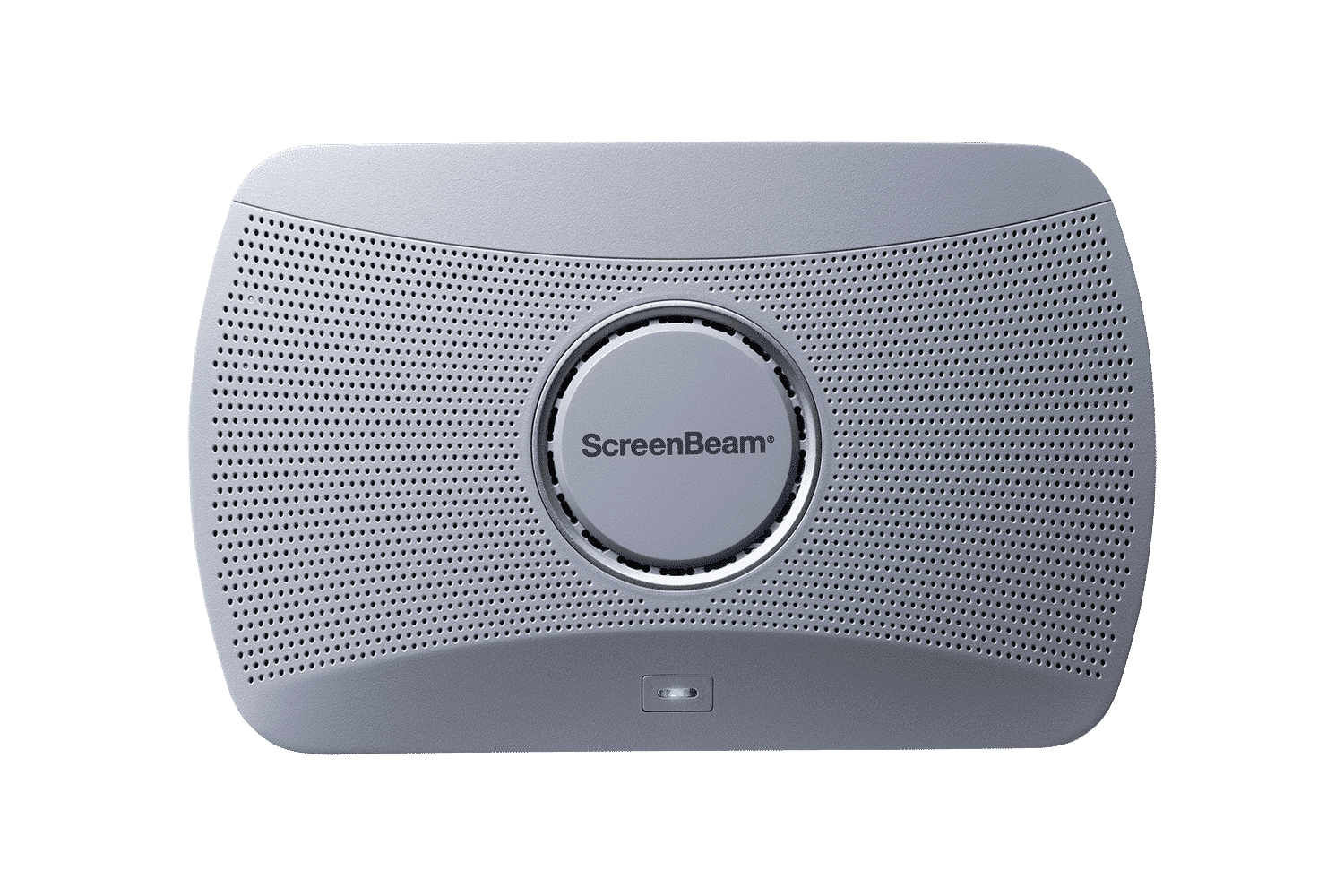
ScreenBeam 1000 EDU Gen 2
A complete smart wireless presentation and engagement solution built for modern classrooms. The 1000 EDU Gen 2 enables screen sharing from any device, includes a built-in whiteboard for collaboration, digital signage, instant alerts, and more … all in a single solution.
ideal for K-12