
Healthcare
When patients can see it, they understand it.
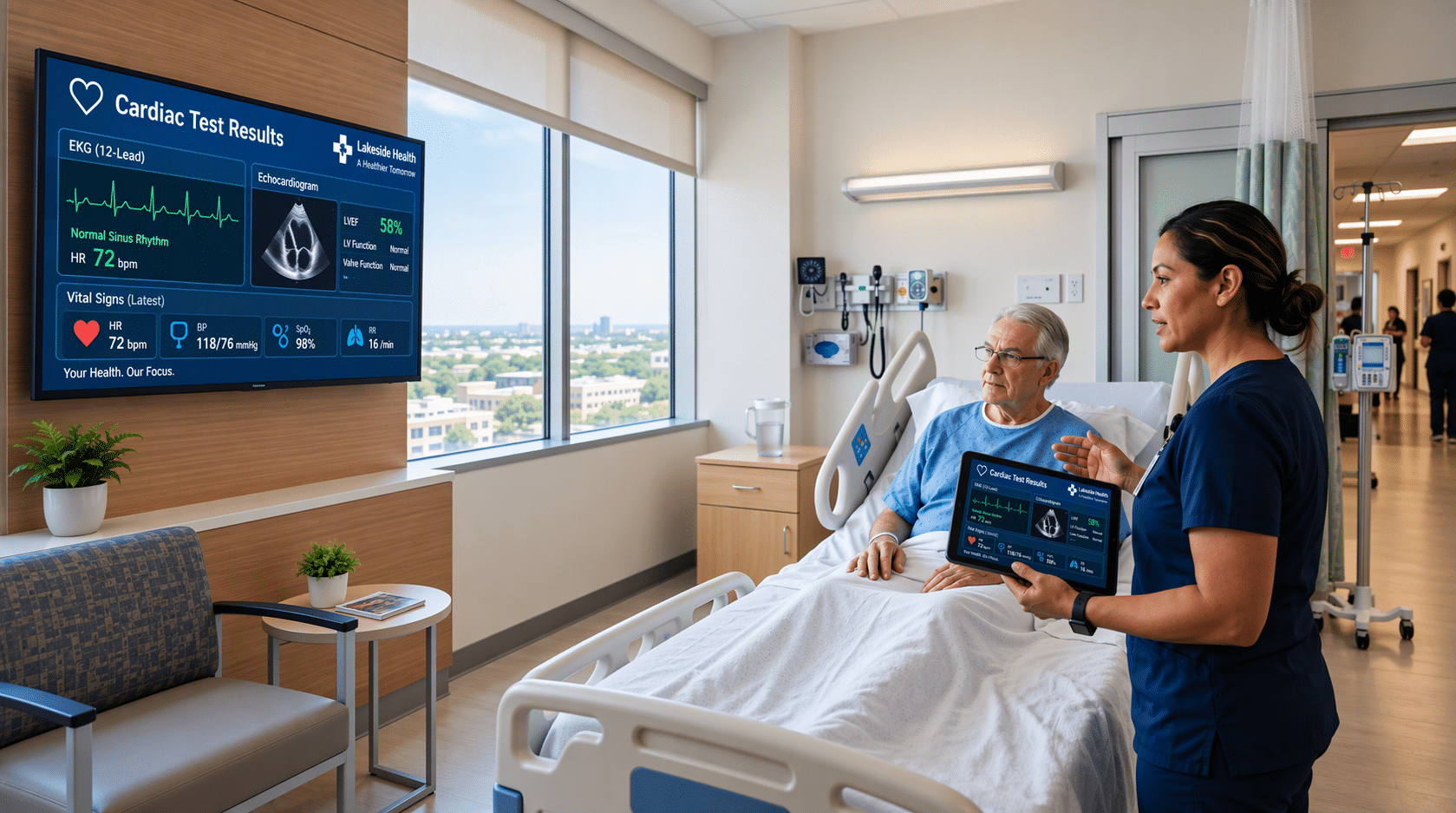
Clinicians share labs, imaging, and care plans from their own device to the TV already in the patient’s room. Securely, in seconds, with nothing left behind.
ScreenBeam. Secure. Simple. Clinician-controlled.
Built for every person in the room
Patients
See the scan, the trend, and the plan, big enough to read. Ask better questions. Remember more once they’re home.
Clinicians
Show instead of explain. No setup, no cables, no turning a tablet toward the bed. One tap and it’s on the screen.
IT and Security
Nothing stored. Sessions are encrypted and only clinicians can start them. It runs inside the network segmentation you already have.
Facilities
One unit behind the TV you already own. Your entertainment system passes right through. No rip-and-replace.
Built for the one place "wireless" makes everyone nervous.
In a hospital, IT’s first question is simple: where does the data go? ScreenBeam’s answer is that it doesn’t go anywhere it shouldn’t.
- Nothing stored. Content streams in the moment. It’s never saved or cached on the device.
- Clinician-initiated only. A patient can never start a session.
- Room-confirmed. The clinician confirms the room before anything appears on screen.
- Ends on its own. The screen goes back to TV the moment the clinician disconnects.
Three steps to clearer bedside conversations
Install it once. Share in seconds. Manage every room from one place.
Step 1
Install Once, Behind the TV
One ScreenBeam 1100 Plus sits behind each patient-room TV. It combines wireless display and HDMI switching in one device.
How it works
- Your entertainment feed passes through it
- No separate switch to buy or wire
- Nothing for patients to operate
- Nothing new for staff to learn
Step 2
Share at the Bedside
Clinicians use the laptop, tablet, or phone already in their hand.
How it works
- Tap to connect. No app, cable, or dongle
- Confirm the room on screen
- Walk through labs, imaging, or the care plan together
- Disconnect, and the TV goes back to entertainment automatically
Step 3
Manage and Protect from One Place
ScreenBeam CMS Enterprise gives IT one view of every patient room.
CMS Enterprise
- Monitor units across floors, units, and buildings
- Push settings and firmware updates
- Set session controls for your clinical environment
- Catch problems before a clinician does
One device. Every patient room.
Tell us about your environment, and we’ll tailor a demo to it.