
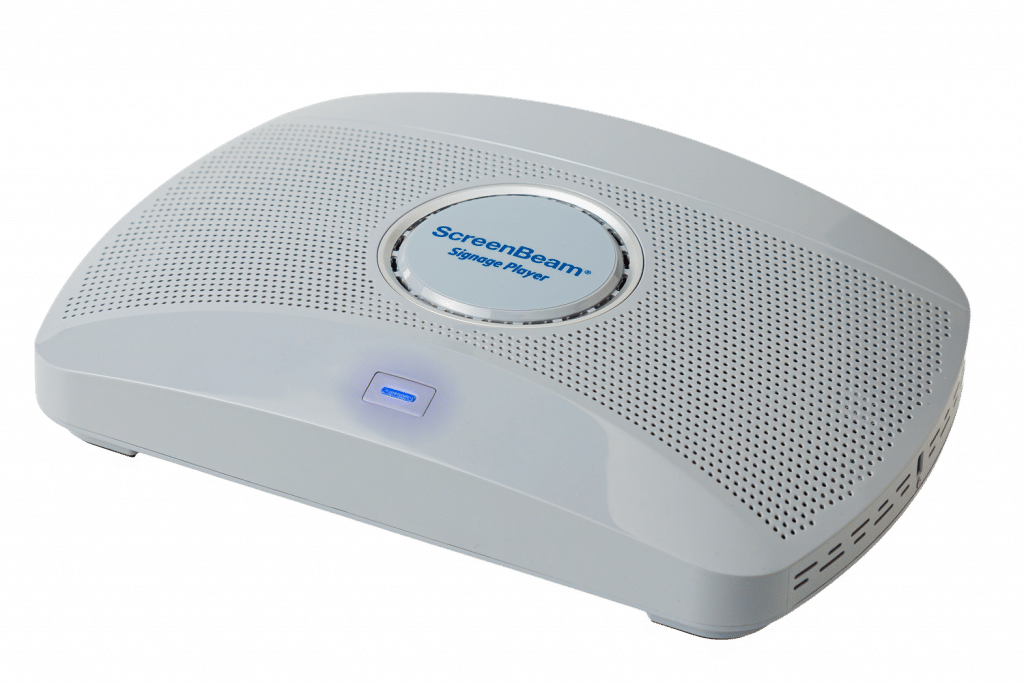

Products / ScreenBeam Signage Player
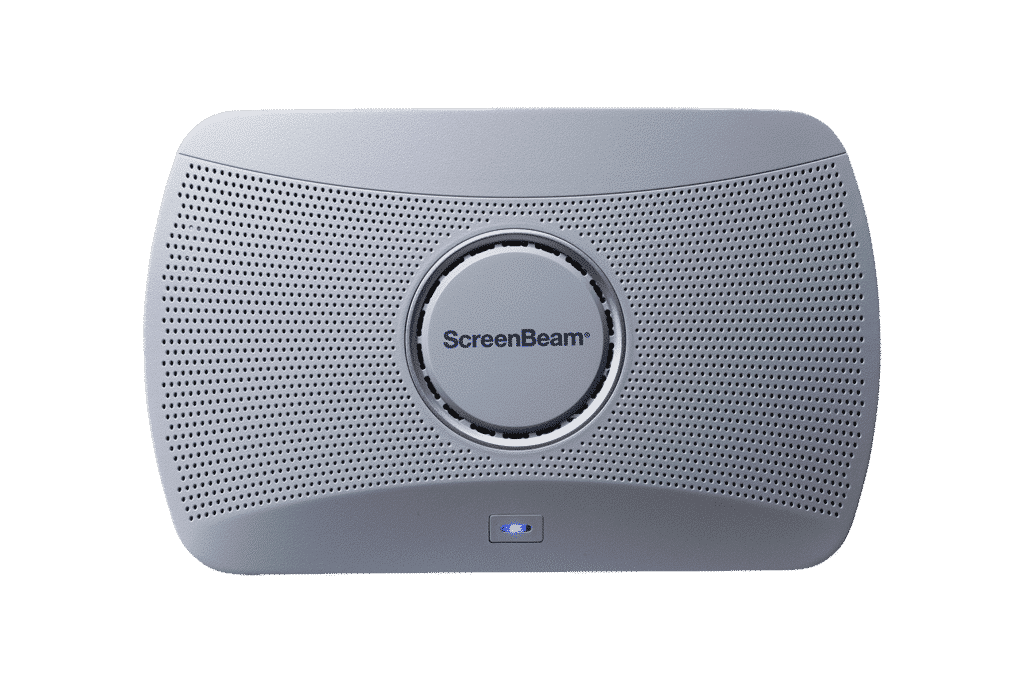
ScreenBeam Signage Player
SKU#: (US) SBWD1000G1-PLYR [$399.99 USD], (CAN) SBWD1000G1CAPLYR [$399.99 USD]
The ScreenBeam Signage Player is a dedicated digital signage endpoint that gives IT teams complete control over every display in their organization — from a single cloud console, with three years of Administrative Tools included.
Designed for enterprise and education environments, the Signage Player is a dedicated hardware endpoint that connects to ScreenBeam Administrative Tools—a cloud platform covering digital signage, routine messaging, and emergency alerting, all managed from one place. Every device includes 3 years of ScreenBeam Administrative Tools at no additional cost, covering Signage+, Message Manager, and Alert+.
Deploy across one location or hundreds. Manage everything remotely.
Product Highlights
- Dedicated digital signage hardware — purpose-built for 24/7 enterprise operation
- 3 years of ScreenBeam Administrative Tools included free — Signage+, Message Manager, and Alert+
- Centralized cloud management at scale — publish, schedule, monitor, and update from one console
- HD and 4K — images, video, HTML5, and multi-zone layouts
- Emergency alerting and routine messaging via Alert+ and Message Manager — included free for 3 years, no third-party integration required
- Secure, IT-ready deployment — role-based access control, remote updates, network-friendly architecture
- Canva integration via Signage+ — design in Canva, publish directly to any display
- Integrates with Raptor, Singlewire InformaCast, and Centegix safety and alerting platforms
Available Add-Ons:

ScreenBeam Administrative Tools Bundle
ScreenBeam Administrative Tools is a unified platform that enables IT, administrative, and front office teams to centrally manage digital signage, routine communications, safety alerts, and device operations across their organization.
3 Years of Administrative Tools Included — No Subscription Required
Every ScreenBeam Signage Player includes 3 years of ScreenBeam Administrative Tools at no additional cost. From day one, organizations have access to Signage+ for content management, Message Manager for routine communications, and Alert+ for emergency notifications—all from a single cloud console. No hidden fees. No subscription fatigue. Just plug in and manage.
Built-In Messaging and Emergency Alerting
The Signage Player connects to Message Manager and Alert+, two cloud-based tools included in the Administrative Tools bundle. Message Manager lets teams push routine updates and announcements to any display without interrupting IT operations. Alert+ enables organizations to instantly override actively displayed content with emergency notifications across all screens simultaneously—integrating with existing safety platforms rather than replacing them. From daily communications to critical safety messages, every screen is always ready.
Centralized Cloud Management at Scale
IT teams manage the full signage network from a single cloud interface—publishing content, scheduling playlists, grouping displays by location or zone, and monitoring device health remotely. Reduce onsite touch, eliminate on-premises infrastructure, and scale across sites with confidence. The Signage Player is designed to fit into existing IT workflows, not replace them.
Flexible Content for Every Use Case
Support the content formats organizations rely on for modern visual communications: images, video, HTML5-based content, live data feeds, and scheduled playlists. Configure multi-zone layouts to display different content types simultaneously—announcements alongside wayfinding, metrics alongside branding. Whether managing a single lobby screen or a network of hundreds of displays across multiple buildings, the Signage Player adapts to the scope and complexity of the deployment.
Signage+ integrates directly with Canva, so teams can design content in Canva and publish it to any display without exporting files or involving IT. For facilities managers, front office staff, school administrators, and anyone managing screens outside the IT department, this means professional-quality signage without a learning curve.
Designed for Reliable 24/7 Operation
Engineered for continuous signage environments, the Signage Player delivers smooth HD and 4K playback with optimized video and image rendering. Purpose-built for always-on operation in enterprise and campus deployments, it maintains stable performance without the overhead of a general-purpose PC. Remote device health monitoring means IT teams can identify and resolve issues before anyone notices.
Secure and IT-Ready
Built on ScreenBeam’s enterprise platform architecture, the Signage Player supports secure authentication, role-based access control, centralized OTA updates, and network-friendly deployment. IT teams can manage the device like any other managed endpoint—because that’s exactly what it is. Designed for environments where security and compliance aren’t optional.
Integrates with Leading Safety and Alerting Systems
The ScreenBeam Signage Player works with the safety and mass notification platforms organizations already rely on. Certified integrations with Raptor Technologies, Singlewire InformaCast, and Centegix mean IT teams can connect display-based alerting to their existing emergency communication infrastructure—without replacing it. For education and enterprise environments with existing safety systems in place, the Signage Player extends those investments to every screen on the network.
Where It Fits
Ideal for corporate workplaces, K–12 schools, higher education campuses, healthcare facilities, government buildings, manufacturing floors, and hospitality venues—anywhere IT teams need reliable, centrally managed visual communications at scale, without adding operational complexity.
ScreenBeam Administrative Tools Bundle
ScreenBeam Administrative Tools is a unified platform that enables IT, administrative, and facilities teams to centrally manage digital signage, routine communications, safety alerts, and device operations across their organization—from a single cloud console. The ScreenBeam Signage Player includes 3 years of Administrative Tools access at no additional cost, covering Signage+, Message Manager, and Alert+.
Hardware Specifications
Interfaces: 1 x HDMI® Output, 1 x RJ-45, 1 x USB 3.0 Host Type-A, 2 x USB 2.0 Host Type-A, 1 x Analog 3.5mm Audio, 1 x DC Power Jack
Power: Input 12VDC 3A, Consumption: 8.4W Typical 24.8W Peak
Temperature: Operating 0* – 40*C (32* – 104*F), Storage -20* – 85*C (-4* – 185*F)
Humidity: Operating 20-80% non-condensing, Storage 10-90% non-condensing
Dimensions
Size: W 8.66 in x D 5.66 in x H 1.47 in (220mm x 144mm x 37.5mm)
Weight: 1lb 0oz (453.5g)
Mounting Option
Wall mount. Magnetic mounting kit. VESA 75x75mm.
Current Release
Version 11.5.20.4
Release date: 2026, Sept. 2
- Changes since 11.3.20.2
- Bug fixes and improvements
- Fixed an issue where Signage+ could not display certain webpages
- Fixed an issue where the ScreenBeam receiver name reverted to the default after applying settings
- Added missing UTC-05:00 DST free time zone
Previous Releases
Version 11.5.20.2
- Release date: 2026, Apr. 27
- Version 11.5.20.2
- Changes since 11.5.20.1
- New feature – None
- Bug fixes and improvements
- Fixed an issue where the receiver continuously queried external DNS servers
- Fixed an issue where the receiver might not reconnect to CMS after a nightly reboot
Version 11.5.20.1
- Release Date: 03/23/2026
- Initial release – Support Administrative Tools services
Add-Ons
ScreenBeam Administrative Tools Bundle
Designed for Admin, Front Office, and IT teams to support communication, emergency alerting, safety, and device management.
- Messaging Tools – daily, routine communication
- Alert Plus – emergency/safety/security
- 3rd Party EMS Integration Support
- Advanced Digital Signage
Available as a licensed add-on for ScreenBeam 1100 Plus, FLEX, and 1000 EDU Gen 2
Request A Trial
Experience a world where technology fades into the background and meaningful, interactive experiences take center stage.
ScreenBeam needs the contact information you provide to us to contact you about our products and services. You may unsubscribe from these communications at any time. For information on how to unsubscribe, as well as our privacy practices and commitment to protecting your privacy, please review our Privacy Policy.
Schedule A Demo
Experience a world where technology fades into the background and meaningful, interactive experiences take center stage.
ScreenBeam needs the contact information you provide to us to contact you about our products and services. You may unsubscribe from these communications at any time. For information on how to unsubscribe, as well as our privacy practices and commitment to protecting your privacy, please review our Privacy Policy.
Related Products
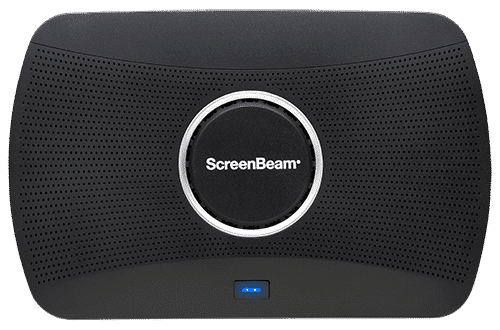
Wireless Display Receiver
Our flagship wireless display solution for modern workplaces. 1100 Plus enables app-free content sharing from any device and supports all major video conferencing platforms. With flexible deployment and robust security, it’s a perfect fit for conference rooms, collaboration spaces, and hybrid environments.
Ideal for Business and Higher Education
Wireless Display Receiver
A complete smart wireless presentation and engagement solution built for modern classrooms. The 1000 EDU Gen 2 enables screen sharing from any device, includes a built-in whiteboard for collaboration, digital signage, instant alerts, and more … all in a single solution.
Ideal for K-12