
Our Products
Seamless. Secure. Smart.
Empowering modern work and learning environments with app-free wireless display, seamless collaboration, instructional and administrative tools, and centralized device management.
From classrooms to conference rooms, ScreenBeam delivers a flexible portfolio of solutions built to support IT teams, educators, and business leaders in driving engagement, communication, and operational efficiency.
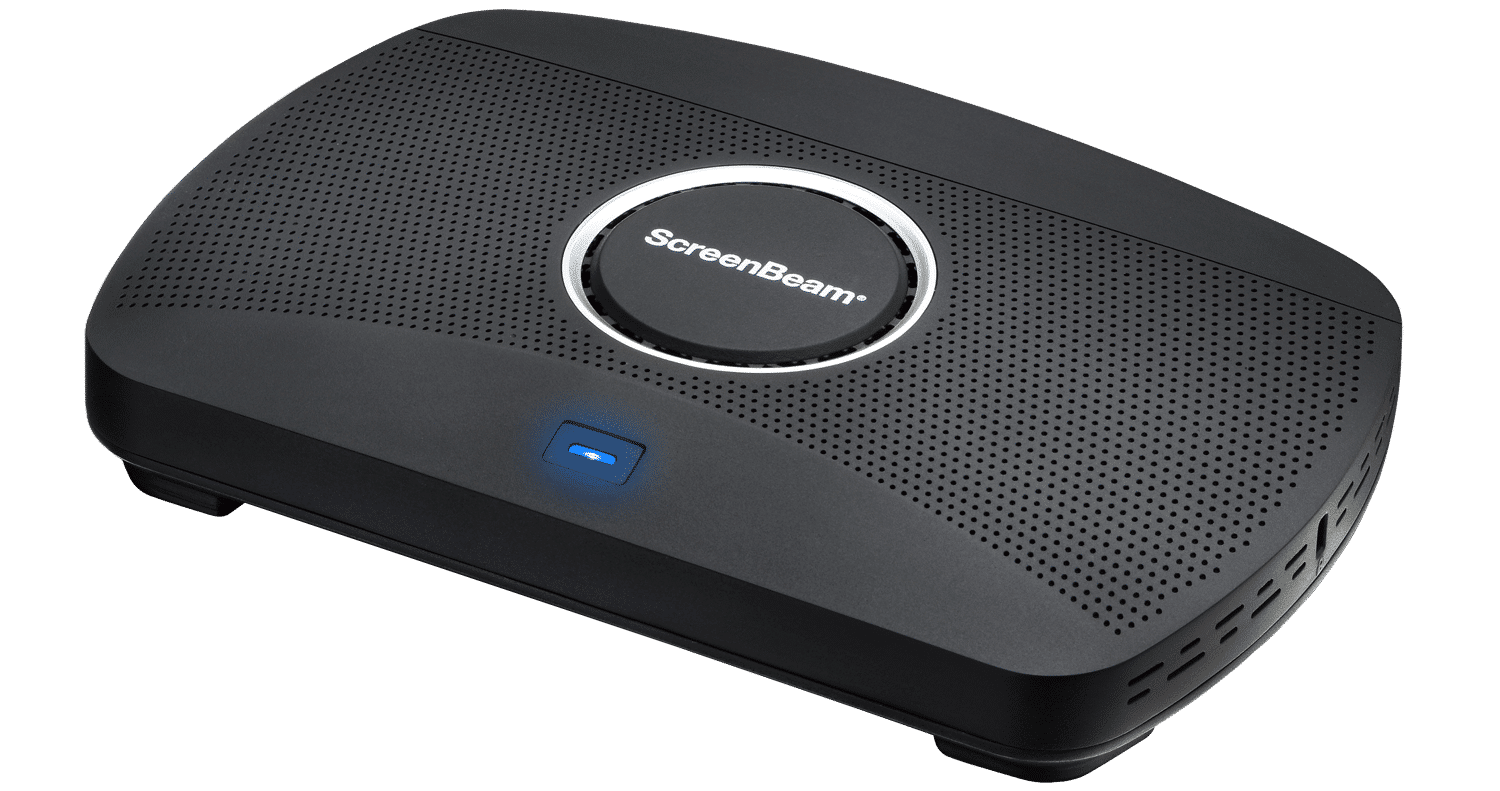
Hardware
ScreenBeam 1000 EDU Gen 2 Bundle
Wireless Display Receiver
ScreenBeam 1000 EDU Gen 2 + Instructional & Administrative Tools Bundle combines the award-winning ScreenBeam 1000 EDU Gen 2 wireless presentation platform with built-in instructional tools for interactive teaching and a 3-year subscription to ScreenBeam Administrative Tools — Signage+, Alert+, and Message Manager.
The bundle builds on the core ScreenBeam 1000 EDU Gen 2 classroom presentation experience by adding instructional tools that support annotation, whiteboarding, and classroom interaction, along with administrative tools that enable digital signage, non-emergency messaging, and emergency alerts. Together, they create a complete instruction and communication platform for K–12 education environments.
ScreenBeam 1000 EDU Gen 2 is purpose-built for K–12 classrooms, delivering secure, app-free wireless display with native support for Miracast, AirPlay, and Google Cast. Designed to be intuitive for teachers and students, it enables fast content sharing and interactive instruction without cables, dongles, or complex setup.
With Instructional and Administrative Tools, classroom displays support both teaching and communication — from interactive lessons to school-wide announcements and safety notifications — without relying on personal devices or third-party systems.
ScreenBeam 1000 EDU Gen 2
Wireless Display Receiver
A complete smart wireless presentation and engagement solution built for modern classrooms. The 1000 EDU Gen 2 enables screen sharing from any device, includes a built-in whiteboard for collaboration, digital signage, instant alerts, and more … all in a single solution.
ideal for K-12
ScreenBeam Signage Player
Purpose-built digital signage hardware with 3 years of cloud management, content scheduling, messaging, and emergency alerting tools included.
ScreenBeam 1100 Plus Bundle
Wireless Display Receiver
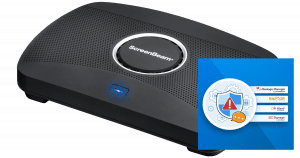
ScreenBeam 1100P + Administrative Tools Bundle combines the award-winning ScreenBeam 1100 Plus wireless presentation platform with a 3-year subscription to ScreenBeam Administrative Tools — Signage+, Alert+, and Message Manager.
The Administrative Tools Bundle builds on the core ScreenBeam 1100P wireless presentation experience by adding built-in administrative communication tools, creating a complete communication platform.
ScreenBeam 1100 Plus delivers secure, app-free 4K wireless display and BYOM conferencing for modern meeting spaces and lecture halls. Designed for ease of use, reliability, and security, it eliminates cables and dongles while supporting Miracast, AirPlay, Google Cast, and BrowserCast across major operating systems.
With Administrative Tools, IT teams can deliver digital signage, send non-emergency messages, and trigger emergency alerts directly to displays. Every ScreenBeam-enabled display becomes an easy-to-reach communication endpoint for safety, daily information sharing, and real-time announcements — without additional hardware or third-party systems.
ScreenBeam 1100 Plus
Wireless Display Receiver
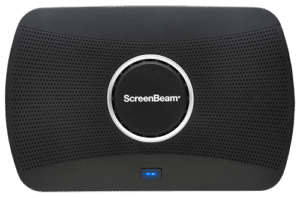
Our flagship wireless display solution for modern workplaces. 1100 Plus enables app-free content sharing from any device and supports all major video conferencing platforms. With flexible deployment and robust security, it’s a perfect fit for conference rooms, collaboration spaces, and hybrid environments.
Ideal for Business and Higher Education

ScreenBeam FLEX Bundle
Wireless Display Receiver
The ScreenBeam FLEX + Administrative Tools Bundle combines the ScreenBeam FLEX wireless display platform with a 3-year subscription to ScreenBeam Administrative Tools — Signage+, Alert+, and Message Manager.
ScreenBeam FLEX delivers secure, app-free wireless display for classrooms, meeting rooms, and learning spaces. With native support for Miracast, AirPlay, Google Cast, and BrowserCast, instructors and students can share content instantly without cables, dongles, or software downloads.
With Administrative Tools, IT teams can turn displays into communication endpoints for digital signage, everyday messaging, and emergency alerts — without additional hardware or third-party systems.
ScreenBeam FLEX
Wireless Display Receiver
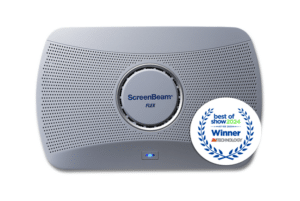
An affordable, easy-to-deploy wireless display solution that brings powerful collaboration capabilities to any room. It enables app-free screen sharing from any device and supports all major conferencing tools—perfect for creating productive meetings or learning spaces without the complexity or high cost.
Ideal for Higher Education, Small and Medium Businesses (SMB)
ScreenBeam 960
Wireless Display Receiver
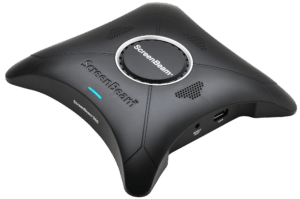
A basic, cost-effective solution for small businesses and startups, the ScreenBeam 960 enables app-free wireless screen sharing in duplicate or extended desktop mode—good for huddle spaces, and small meeting rooms.
Ideal for small businesses
ScreenBeam USB Pro Switch
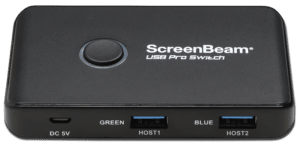
An intelligent and automated switching solution that allows Microsoft Teams Rooms (MTRs) to seamlessly add wireless presentation and BYOM conferencing The ScreenBeam USB Pro Switch automates switching of AV room peripherals—like cameras, mics, and speakers between dedicated UC room device and ScreenBeam 1100 Plus for BYOM meetings.
ScreenBeam 1000 EDU Gen 2 Bundle
ScreenBeam 1000 EDU Gen 2 + Instructional & Administrative Tools Bundle combines the award-winning ScreenBeam 1000 EDU Gen 2 wireless presentation platform with built-in instructional tools for interactive teaching and a 3-year subscription to ScreenBeam Administrative Tools — Signage+, Alert+, and Message Manager.
The bundle builds on the core ScreenBeam 1000 EDU Gen 2 classroom presentation experience by adding instructional tools that support annotation, whiteboarding, and classroom interaction, along with administrative tools that enable digital signage, non-emergency messaging, and emergency alerts. Together, they create a complete instruction and communication platform for K–12 education environments.
ScreenBeam 1000 EDU Gen 2 is purpose-built for K–12 classrooms, delivering secure, app-free wireless display with native support for Miracast, AirPlay, and Google Cast. Designed to be intuitive for teachers and students, it enables fast content sharing and interactive instruction without cables, dongles, or complex setup.
With Instructional and Administrative Tools, classroom displays support both teaching and communication — from interactive lessons to school-wide announcements and safety notifications — without relying on personal devices or third-party systems.
ScreenBeam 1000 EDU Gen 2
A complete smart wireless presentation and engagement solution built for modern classrooms. The 1000 EDU Gen 2 enables screen sharing from any device, includes a built-in whiteboard for collaboration, digital signage, instant alerts, and more … all in a single solution.
ideal for K-12
ScreenBeam Signage Player
Purpose-built digital signage hardware with 3 years of cloud management, content scheduling, messaging, and emergency alerting tools included.
ScreenBeam 1100 Plus Bundle
ScreenBeam 1100P + Administrative Tools Bundle combines the award-winning ScreenBeam 1100 Plus wireless presentation platform with a 3-year subscription to ScreenBeam Administrative Tools — Signage+, Alert+, and Message Manager.
The Administrative Tools Bundle builds on the core ScreenBeam 1100P wireless presentation experience by adding built-in administrative communication tools, creating a complete communication platform.
ScreenBeam 1100 Plus delivers secure, app-free 4K wireless display and BYOM conferencing for modern meeting spaces and lecture halls. Designed for ease of use, reliability, and security, it eliminates cables and dongles while supporting Miracast, AirPlay, Google Cast, and BrowserCast across major operating systems.
With Administrative Tools, IT teams can deliver digital signage, send non-emergency messages, and trigger emergency alerts directly to displays. Every ScreenBeam-enabled display becomes an easy-to-reach communication endpoint for safety, daily information sharing, and real-time announcements — without additional hardware or third-party systems.
ScreenBeam 1100 Plus
Our flagship wireless display solution for modern workplaces. 1100 Plus enables app-free content sharing from any device and supports all major video conferencing platforms. With flexible deployment and robust security, it’s a perfect fit for conference rooms, collaboration spaces, and hybrid environments.
Ideal for Business and Higher Education
ScreenBeam FLEX Bundle
The ScreenBeam FLEX + Administrative Tools Bundle combines the ScreenBeam FLEX wireless display platform with a 3-year subscription to ScreenBeam Administrative Tools — Signage+, Alert+, and Message Manager.
ScreenBeam FLEX delivers secure, app-free wireless display for classrooms, meeting rooms, and learning spaces. With native support for Miracast, AirPlay, Google Cast, and BrowserCast, instructors and students can share content instantly without cables, dongles, or software downloads.
With Administrative Tools, IT teams can turn displays into communication endpoints for digital signage, everyday messaging, and emergency alerts — without additional hardware or third-party systems.
ScreenBeam FLEX
An affordable, easy-to-deploy wireless display solution that brings powerful collaboration capabilities to any room. It enables app-free screen sharing from any device and supports all major conferencing tools—perfect for creating productive meetings or learning spaces without the complexity or high cost.
Ideal for Higher Education, Small and Medium Businesses (SMB)
ScreenBeam 960
A basic, cost-effective solution for small businesses and startups, the ScreenBeam 960 enables app-free wireless screen sharing in duplicate or extended desktop mode—good for huddle spaces, and small meeting rooms.
Ideal for small businesses
ScreenBeam USB Pro Switch
An intelligent and automated switching solution that allows Microsoft Teams Rooms (MTRs) to seamlessly add wireless presentation and BYOM conferencing The ScreenBeam USB Pro Switch automates switching of AV room peripherals—like cameras, mics, and speakers between dedicated UC room device and ScreenBeam 1100 Plus for BYOM meetings.
Companion Software

Orchestrate Lite by ScreenBeam
Orchestrate Lite by ScreenBeam is designed for educators in a 1:1 environment to moderate and wirelessly share student’s work to the classroom’s display for collaboration. It is a license-free companion software that works in conjunction with ScreenBeam 1000EDU Gen 2 receiver.
ScreenBeam CMS Enterprise
Central management for ScreenBeam receivers
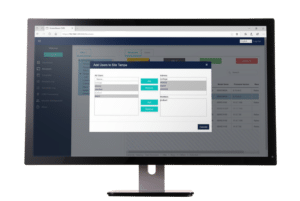
ScreenBeam CMS Enterprise is a robust tool that enables administrators to remotely access and manage ScreenBeam receivers distributed over multiple geographic locations and across networks with ease. Administrators can monitor receiver status, apply security policies, troubleshoot problems, perform device resets, update receivers, and more.
Ideal for all sectors
ScreenBeam Conference
Wireless conferencing (BYOM) solution
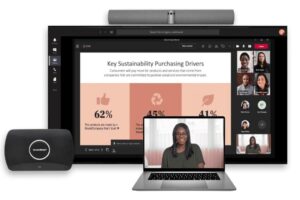
ScreenBeam Conference wirelessly connects user devices to displays and room peripherals for flexible collaboration and content sharing.
Orchestrate Lite by ScreenBeam
Orchestrate Lite by ScreenBeam is designed for educators in a 1:1 environment to moderate and wirelessly share student’s work to the classroom’s display for collaboration. It is a license-free companion software that works in conjunction with ScreenBeam 1000EDU Gen 2 receiver.
ScreenBeam CMS Enterprise
ScreenBeam CMS Enterprise is a robust tool that enables administrators to remotely access and manage ScreenBeam receivers distributed over multiple geographic locations and across networks with ease. Administrators can monitor receiver status, apply security policies, troubleshoot problems, perform device resets, update receivers, and more.
Ideal for all sectors
ScreenBeam Conference
ScreenBeam Conference wirelessly connects user devices to displays and room peripherals for flexible collaboration and content sharing.
Software Add-Ons

ScreenBeam Alert+
Deliver critical alerts when every second counts
Deliver critical alerts when every second counts.

ScreenBeam Message Manager
Communicate clearly, without disrupting class
Communicate clearly, without disrupting class.

ScreenBeam Signage+
Use displays to share visual content, announcements, and information when they are not actively in use. Signage+ enables IT teams to centrally schedule and manage digital signage content across ScreenBeam-enabled spaces.

ScreenBeam Administrative Tools Bundle
Designed for Admin, Front Office, and IT teams to support communication, emergency alerting, safety, and device management.
- Messaging Tools – daily, routine communication
- Alert Plus – emergency/safety/security
- 3rd Party EMS Integration Support
- Advanced Digital Signage
Available as a licensed add-on for ScreenBeam 1100 Plus, FLEX, and 1000 EDU Gen 2

ScreenBeam Instructional Tools Bundle
Built for K–12 classrooms to enhance collaboration and student engagement.
- Classroom Orchestration Tools
- Teacher/Student Screen Sharing
- Live Preview of Student Screens
- Web Filtering Tools
- Blank Screen / Lock Keyboards
- Rostering with ClassLink and OneRoster
Available as a licensed add-on for ScreenBeam 1000 EDU Gen 2
ScreenBeam Alert+
Deliver critical alerts when every second counts.
ScreenBeam Message Manager
Communicate clearly, without disrupting class.
ScreenBeam Signage+
Use displays to share visual content, announcements, and information when they are not actively in use. Signage+ enables IT teams to centrally schedule and manage digital signage content across ScreenBeam-enabled spaces.
ScreenBeam Administrative Tools Bundle
Designed for Admin, Front Office, and IT teams to support communication, emergency alerting, safety, and device management.
- Messaging Tools – daily, routine communication
- Alert Plus – emergency/safety/security
- 3rd Party EMS Integration Support
- Advanced Digital Signage
Available as a licensed add-on for ScreenBeam 1100 Plus, FLEX, and 1000 EDU Gen 2
ScreenBeam Instructional Tools Bundle
Built for K–12 classrooms to enhance collaboration and student engagement.
- Classroom Orchestration Tools
- Teacher/Student Screen Sharing
- Live Preview of Student Screens
- Web Filtering Tools
- Blank Screen / Lock Keyboards
- Rostering with ClassLink and OneRoster
Available as a licensed add-on for ScreenBeam 1000 EDU Gen 2
MoCA Network Adapters
MoCA 2.5 Network Adapter with 2.5Gbps Ethernet Port
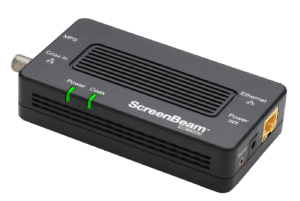
The ECB7250 adapter uses bonded MoCA 2.5 technology to deliver Ethernet speeds up to 2.5 Gbps over coax wiring.
MoCA 2.5 Network Adapter with 1.0Gbps Ethernet Port
The ECB6250 adapter uses bonded MoCA 2.5 technology to deliver Ethernet speeds up to 1 Gbps over coax wiring.
MoCA 2.0 Network Adapter with 1.0Gbps Ethernet Port
The ECB6200 adapter uses bonded MoCA 2.0 technology to deliver Ethernet speeds up to 1 Gbps over coax wiring.
MoCA 2.5 Network Adapter with 2.5Gbps Ethernet Port
The ECB7250 adapter uses bonded MoCA 2.5 technology to deliver Ethernet speeds up to 2.5 Gbps over coax wiring.
MoCA 2.5 Network Adapter with 1.0Gbps Ethernet Port
The ECB6250 adapter uses bonded MoCA 2.5 technology to deliver Ethernet speeds up to 1 Gbps over coax wiring.
MoCA 2.0 Network Adapter with 1.0Gbps Ethernet Port
The ECB6200 adapter uses bonded MoCA 2.0 technology to deliver Ethernet speeds up to 1 Gbps over coax wiring.
Legacy Products
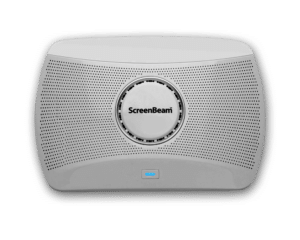
ScreenBeam 1100
The ScreenBeam 1100 is a wireless presentation platform designed for the conference room.
ScreenBeam 1000 EDU
Wireless Display Receiver
The ScreenBeam 1000EDU is a wireless presentation platform that supports app-free screen sharing for Windows, Mac/iOS and Chrome.
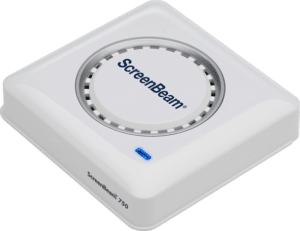
ScreenBeam 750
Wireless Display Receiver
Wi-Fi Miracast wireless presentation receiver for compatible Windows and Android devices.
ScreenBeam 1100
The ScreenBeam 1100 is a wireless presentation platform designed for the conference room.
ScreenBeam 1000 EDU
The ScreenBeam 1000EDU is a wireless presentation platform that supports app-free screen sharing for Windows, Mac/iOS and Chrome.
ScreenBeam 750
Wi-Fi Miracast wireless presentation receiver for compatible Windows and Android devices.
Request A Trial
Experience a world where technology fades into the background and meaningful, interactive experiences take center stage.
ScreenBeam needs the contact information you provide to us to contact you about our products and services. You may unsubscribe from these communications at any time. For information on how to unsubscribe, as well as our privacy practices and commitment to protecting your privacy, please review our Privacy Policy.
Schedule A Demo
Experience a world where technology fades into the background and meaningful, interactive experiences take center stage.
ScreenBeam needs the contact information you provide to us to contact you about our products and services. You may unsubscribe from these communications at any time. For information on how to unsubscribe, as well as our privacy practices and commitment to protecting your privacy, please review our Privacy Policy.